Share code. Edit together.
In real time.
Multiple files, live cursors, and your own private notes. Send a link to start working together. No accounts required.
Write and share code in your browser. Code execution is not included.
From a snippet to a conversation.
- Create a pad. Type above, choose a language, and share your code.
- Send the edit link. Your collaborator opens the same files with no signup.
- Work through it together. Follow live cursors and keep your own notes.
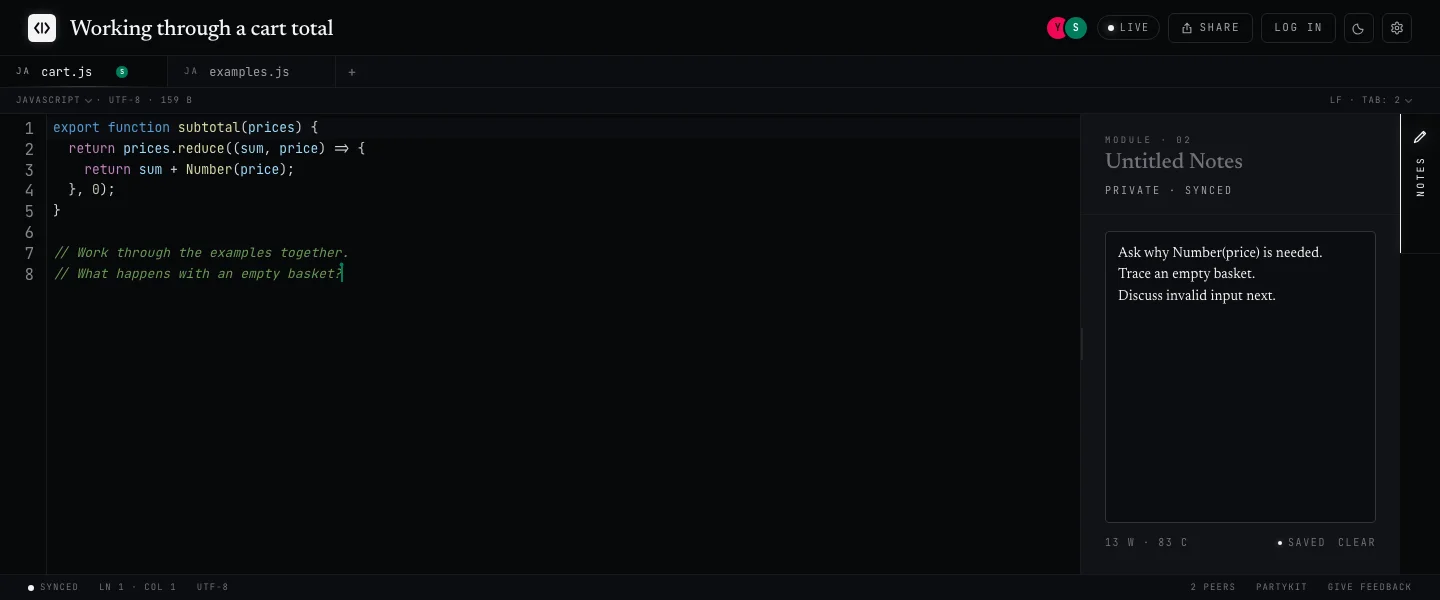
Live cursors
Follow your collaborator across the shared files with labeled cursors and selections.
Edit code together →Share links
Send the pad, a read-only link, or an embeddable snippet. Nobody needs an account.
Share a snippet →Private notes
Your own scratch panel on a shared pad. Nobody else on the pad can see it.
See it in a mock interview →Practicing an interview? Compare Codepad with CoderPad to see which fits your session.
Common questions
Do I need an account to use Codepad?
No. Click "+ new pad" and you get a shareable URL instantly. Your collaborator opens the same link, no signup either.
Is Codepad free?
Yes. Codepad is free to use, with no plan upgrades and no seat counts.
How is Codepad different from Google Docs?
Codepad gives you the same "send the link" ergonomics as Google Docs, but with a real code editor underneath: syntax highlighting for 40+ languages, line numbers, bracket matching, multiple files per pad, and a private notes panel.
Can I share code without signing up?
Yes. Type into the editor on the homepage and hit share. Codepad creates the pad and gives you a URL you can send to anyone. Neither of you needs an account, and whoever opens the link can edit alongside you straight away.
Can I run code in Codepad?
Codepad is for writing, discussing, and sharing code. It does not include a compiler, terminal, or test runner. Use your local environment to execute a solution.
Does a read-only link lock my pad?
No. It creates a separate link for viewing the saved code. People with the edit link can still make changes, and those changes may appear when the read-only page is opened or refreshed.